deutsia radio
Privacy-focused, censorship-resistant multinet radio player for Android.
Stream 50,000+ stations across Clearnet, Tor, and I2P. Zero tracking. Material 3. Apache 2.0 licensed.
Requires Android 7.0+. InviZible Pro recommended for Tor (use proxy mode). I2P Android or InviZible Pro's i2pd for I2P support.
Features
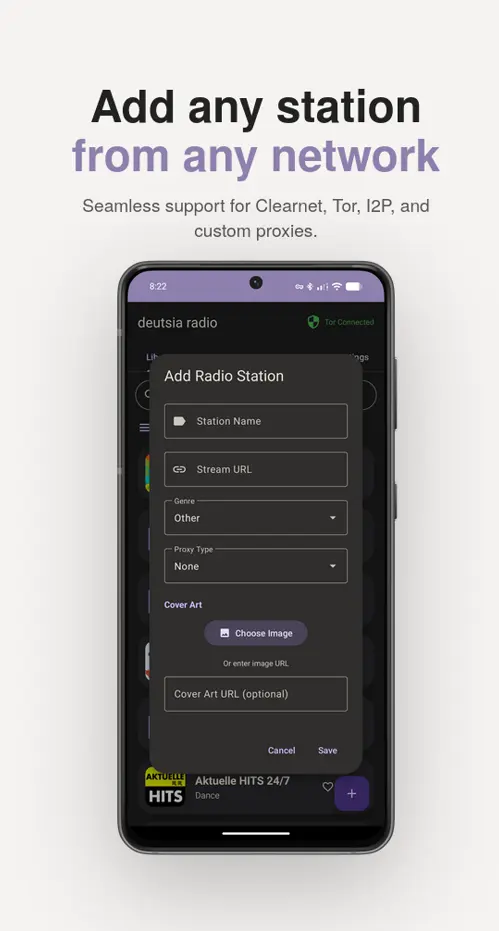
- Multinet: Clearnet, I2P (.i2p), and Tor (.onion) with custom Darknet API
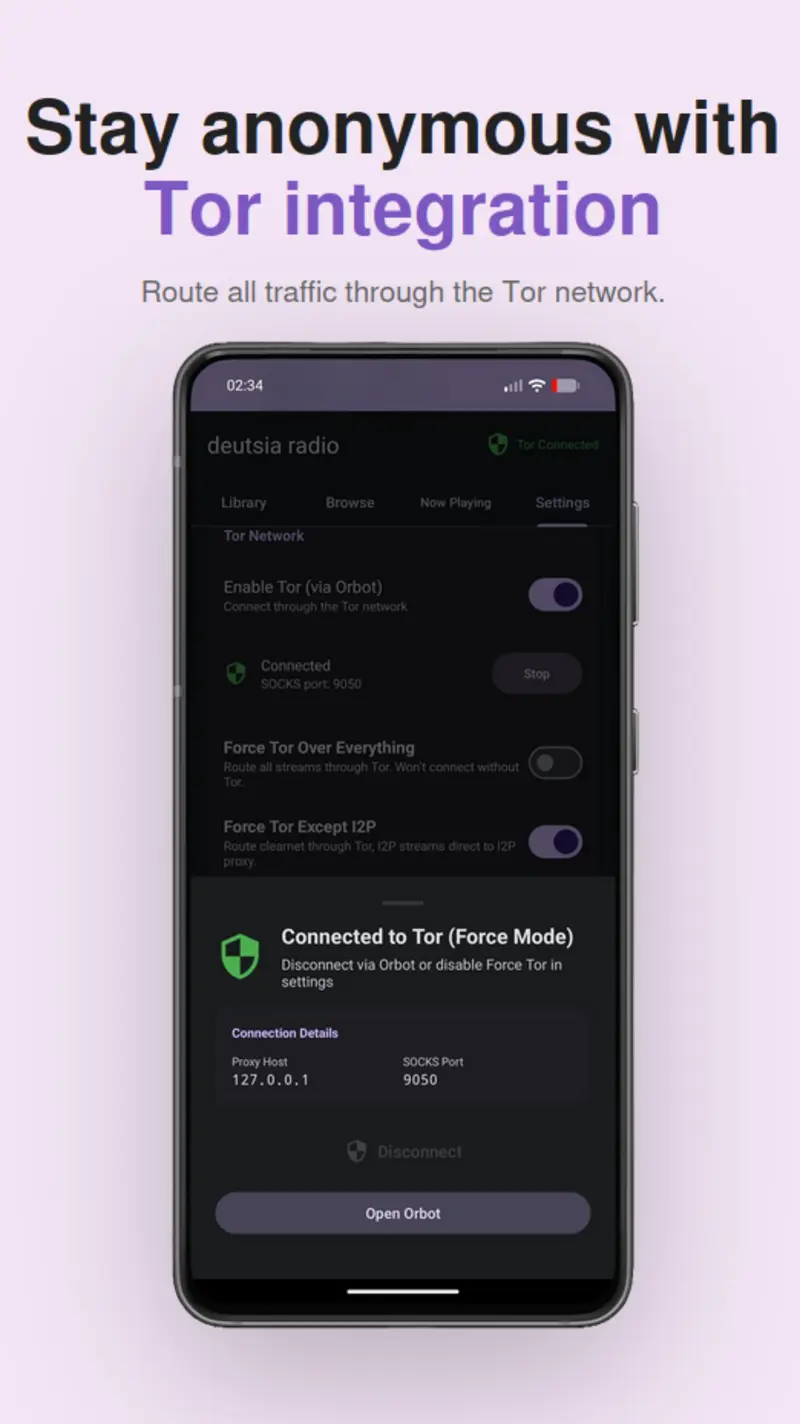
- Force Tor Modes: Proxy-or-fail enforcement with instant leak prevention
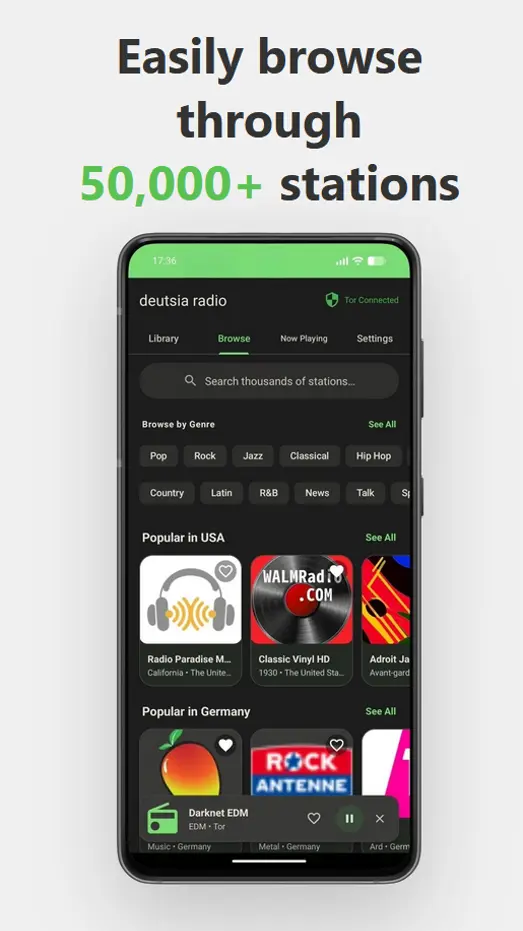
- 50,000+ Stations: RadioBrowser API or add custom streams
- Material You: Dynamic theming, 6 color schemes, Dark/Light mode
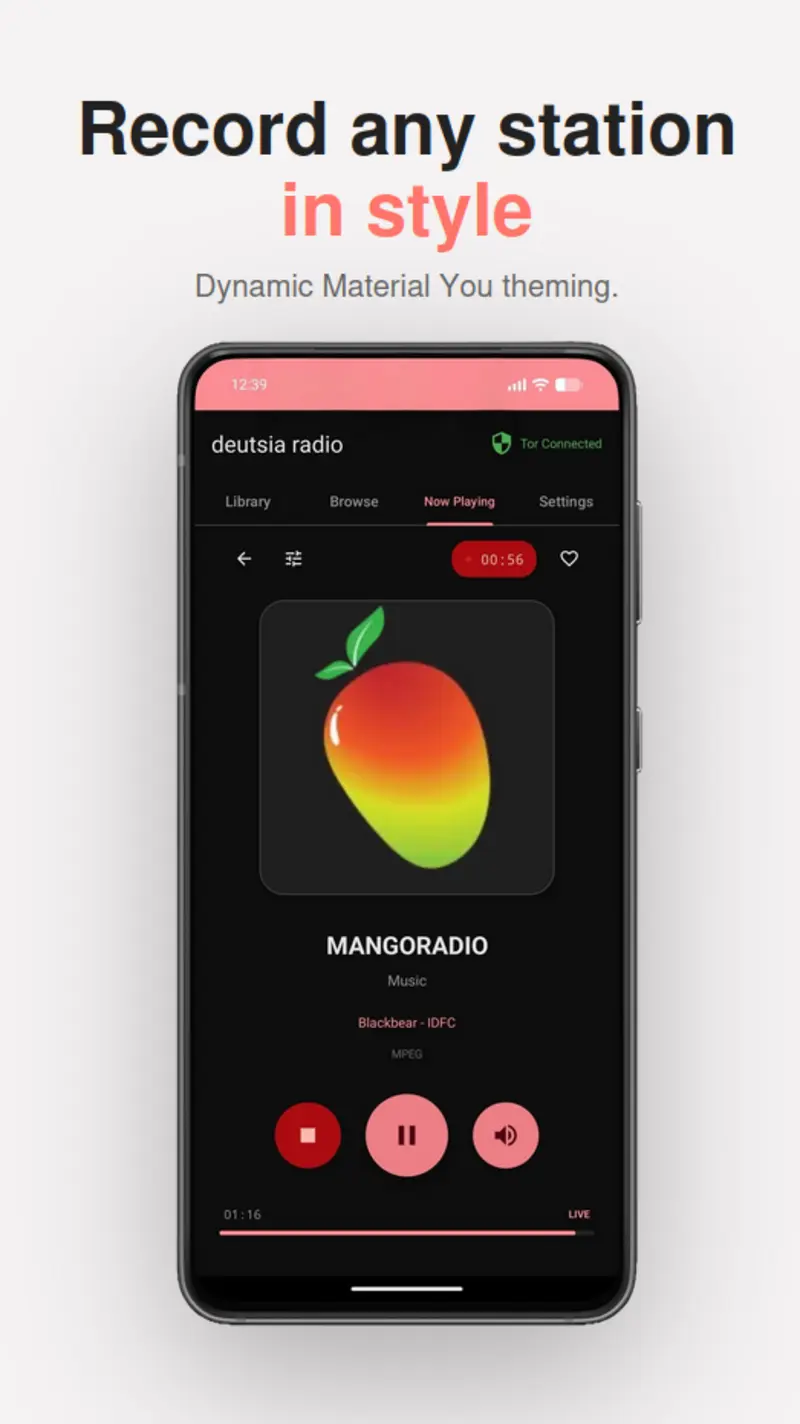
- Stream Recording: Record across multiple stations simultaneously
- App Lock: Biometric/PIN with optional SQLCipher database encryption
- 17 Languages: Multilingual interface
- Custom Proxy: SOCKS4, SOCKS5, HTTP/S with Digest & Basic auth
- Full DNS Protection: No leaks in Force modes, backed by 47 tests
- Disable API connections: Go fully local with only your station library
Privacy & Security
| DB Encryption | SQLCipher (at rest) |
| Credentials | Android Jetpack Security (AES-256-GCM) |
| Leak Protection | Strict - no clearnet fallback |
| DNS | Full proxy resolution, no system DNS |
| Disconnect | <100ms detection |
| License | Apache 2.0 |
Screenshots
FAQ
Do I need Tor or I2P to use this app?
No. Clearnet works on its own and gives you access to 50,000+ stations via the RadioBrowser API, like a normal radio app. Tor and I2P are completely optional for users who want privacy or access to darknet stations.
How do I remain private/anonymous while using this app?
By default, the app connects directly from your IP address. To stay anonymous, you need to enable a Force mode in settings and/or run a VPN in the background. There are several options depending on your setup:
- Force Tor All — Routes all traffic (streams, API calls, cover art) through Tor. Nothing touches the internet directly. If Tor disconnects, all traffic is blocked — there are no clearnet fallbacks.
- Force Tor Except I2P — Routes clearnet traffic through Tor, but sends I2P traffic through the I2P HTTP proxy instead. This avoids the unnecessary latency of routing I2P over Tor.
- Force Custom Proxy — Routes all traffic through a proxy you configure (SOCKS4, SOCKS5, HTTP, or HTTPS). Useful if you run your own proxy or use a non-Tor proxy provider.
- Force Custom Proxy Except Tor/I2P — Routes clearnet traffic through your custom proxy, while Tor and I2P stations use their native proxies.
For maximum privacy: enable a Force mode, disable the RadioBrowser API if you don't need clearnet stations, disable cover art loading to eliminate all image requests, enable database encryption to protect your local data at rest, and run a VPN in the background alongside InviZible Pro's proxy mode for an extra layer of protection if you don't fully trust the app or any of the APIs it connects to.
All Force modes are fail-safe — if the proxy goes down, traffic is blocked, not leaked. This includes DNS leak prevention — in Force modes, all DNS queries are resolved through the proxy rather than your system/ISP DNS.
If you do not trust this app, run a trusted VPN in the background.
What data does this app collect?
None. All data (proxy passwords, stations, history, settings, favorites) is stored locally on your device. There is no cloud sync, no analytics, and no telemetry. You can optionally encrypt all local data with SQLCipher.
Do clearnet stations block Tor in Force Tor mode?
Sometimes, but rarely. The vast majority of clearnet stations do not block Tor.
Does cover art load through my proxy?
Yes. Station artwork is loaded through the same proxy pipeline as streams across all three networks (clearnet, I2P, and Tor). In Force modes, all image requests include full DNS leak prevention — DNS is resolved through the proxy, not your system resolver. If the proxy disconnects, image loading is blocked rather than falling back to a direct connection. You can also disable cover art entirely in settings to eliminate all image requests.
Does enabling Tor (non force mode) hide my IP?
Not inherently. Without enabling a force mode, all clearnet traffic (streams, cover art) will be loaded from your direct IP. Enabling this non force mode just allows you to access Tor stations easily without going the extra mile of routing everything through Tor.
How do I import stations from another app?
Settings → Import. Supported formats: CSV, JSON, M3U, PLS.
Why is cleartext traffic enabled in the manifest?
I2P (.i2p) and Tor (.onion) sites use http:// rather than https://. Cleartext traffic must be enabled for these domains to work.
Can I use a different proxy instead of InviZible Pro?
Yes. Any SOCKS5 proxy routing through Tor works. You can also configure SOCKS4, SOCKS5, HTTP, or HTTPS proxies with optional auth in the app settings.
Why doesn't SOCKS4 fully protect my privacy like SOCKS5 and others?
SOCKS4 does not support remote DNS resolution. When using Force Custom Proxy with a SOCKS4 proxy, DNS queries are resolved locally through your system/ISP DNS, which can leak the domains you're connecting to. SOCKS5 resolves DNS through the proxy itself, preventing these leaks. If DNS privacy matters to you, use SOCKS5, HTTP, or HTTPS instead of SOCKS4 for your custom proxy. The app will show a warning when you select SOCKS4 as a reminder.
How do I submit darknet stations?
Submit .i2p and .onion stations via the Radio Registry API. Clearnet stations go to the RadioBrowser database.
Install
Download the latest APK here or use Obtainium for auto-updates.
Verify
Releases are signed with Sigstore. To verify, download both the .apk and .apk.sigstore files from the same release, then run from the directory containing the downloaded files:
cd ~/Downloads
cosign verify-blob \
  --bundle deutsia-radio-v1.6.5.apk.sigstore \
  --certificate-identity siewargottlichschon@gmail.com \
  --certificate-oidc-issuer https://github.com/login/oauth \
  deutsia-radio-v1.6.5.apk
Build
git clone https://github.com/deutsia/deutsia-radio.git
cd deutsia-radio
./gradlew assembleDebug
Requires Java 21 LTS. Set JAVA_HOME=/usr/lib/jvm/java-21-openjdk before building.
Donate
Monero (XMR):
83GGx86c6ZePiz8tEcGYtGJYmnjuP8W9cfLx6s98WAu8YkenjLr4zFC4RxcCk3hwFUiv59wS8KRPzNUUUqTrrYXCJAk4nrN